
Press
CrossFlow news, facts, logos, screenshots and video for the press.
CrossFlow converts Adobe Premiere Pro projects into native DaVinci Resolve projects, and brings graded clips back to Premiere Pro. This page has the latest news, the key facts, and everything you need to write about it.
Writing a review or making a video? Ask for a free license: contact@nablast.com
Latest news
CrossFlow 1.2: rendered clips now come with handles
Toulouse, France, November 17, 2026. CrossFlow 1.2 adds Handles to the clips it renders for DaVinci Resolve. CrossFlow rebuilds the Premiere Pro edit natively in Resolve and renders only what Resolve cannot reproduce, such as unsupported effects or After Effects compositions. Until now, those renders stopped exactly at the cut. With Handles, each rendered clip gets extra frames before and after it, hidden past its edges, so the colorist can still extend, slip or re-cut it in Resolve. Handles are counted after speed changes and start where a transition ends.
Return to Premiere has its own Handles setting: the graded clips sent back to Premiere Pro can be re-cut there after the grade. CrossFlow 1.2 also supports Premiere Pro 2027, converting its new Color Mode grades the way it handles Lumetri Color, and starts rendering much sooner on large projects. It is a free update for every CrossFlow license.
CrossFlow 1.1: Premiere Pro and Resolve on two computers
November 2, 2026. Machine Transfer lets an editor on Premiere Pro and a colorist on DaVinci Resolve work on two different computers, Mac or Windows in any combination. CrossFlow saves the project to a transfer file and lists the media to send with it. On the colorist’s computer, it finds the media on its own, even if they were moved, and the graded clips come back the same way. One license is enough for the whole trip.
CrossFlow 1.0 launch
October 13, 2026. CrossFlow 1.0 was released as a desktop application for Windows and macOS. The launch press release is in the press kit below.
Key facts
- Product: CrossFlow 1.2, a desktop application for Windows and macOS
- What it does: converts an Adobe Premiere Pro project into a native DaVinci Resolve Studio project, without FCP XML, AAF or EDL, and brings graded clips back to Premiere Pro
- Developer: Nablast (Nicolas Favre), Toulouse, France
- Price: $79, one-time license for 2 computers, all 1.x updates included
- Free trial: no time limit, every option available, converts the first 10 clips of each sequence
- Requirements: DaVinci Resolve Studio 20 or later (the free version is not supported), Adobe Premiere Pro 25 or later including Premiere Pro 2027, Windows 10 or later, macOS 12 Monterey or later (Apple Silicon and Intel)
- Privacy: runs entirely on the user’s computer, no upload, no cloud conversion
- Website: https://nablast.com, free trial at https://nablast.com/download/
What CrossFlow does
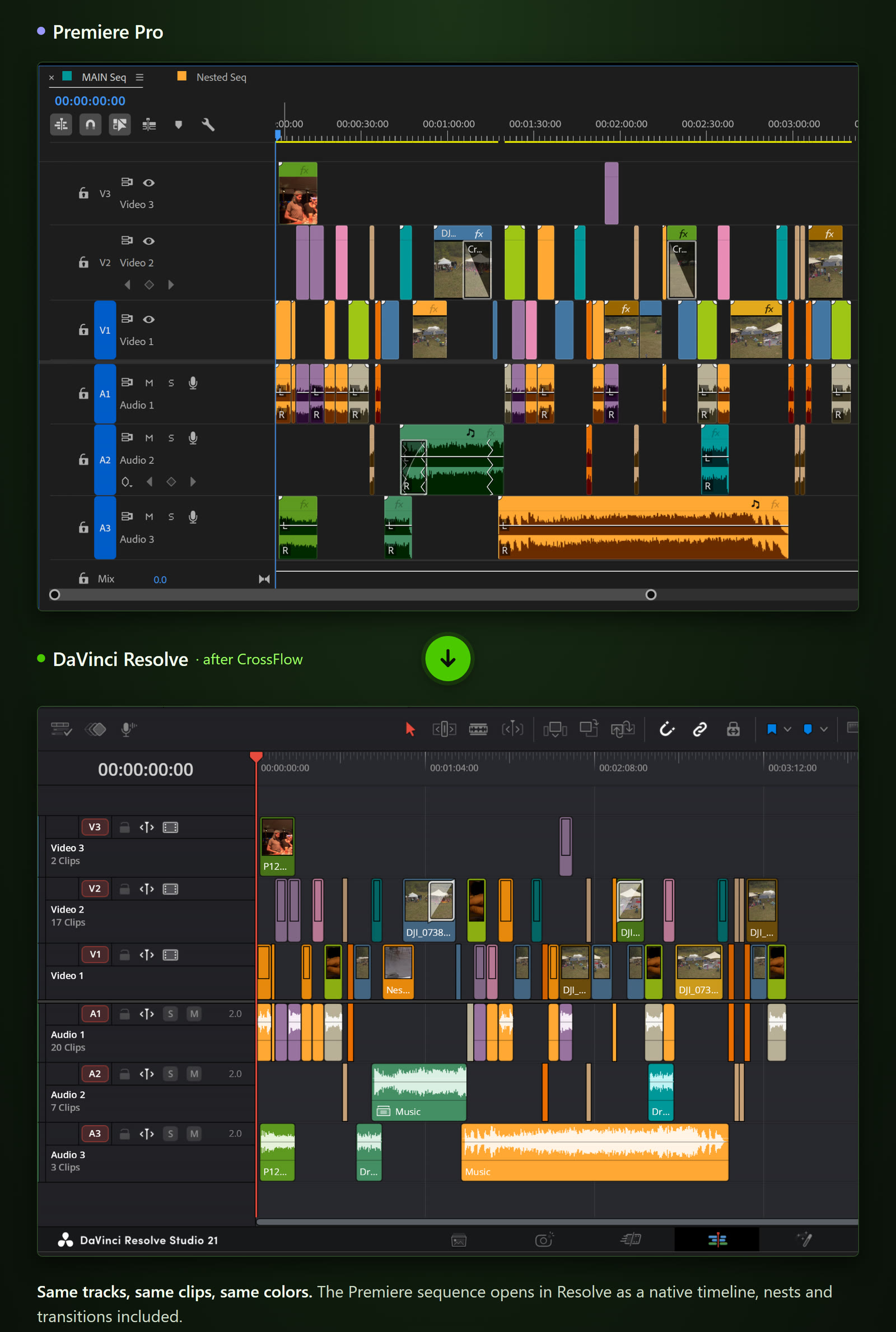
- Rebuilds sequences, nested sequences, multicam and merged clips, bins, markers, clip names and colors natively in Resolve
- Converts speed changes and Time Remapping to Resolve Retime Curves, frame-accurate
- Converts Position, Scale, Rotation, Anchor Point, Crop, Opacity, Volume and Pan, static or keyframed, to editable Resolve keyframes
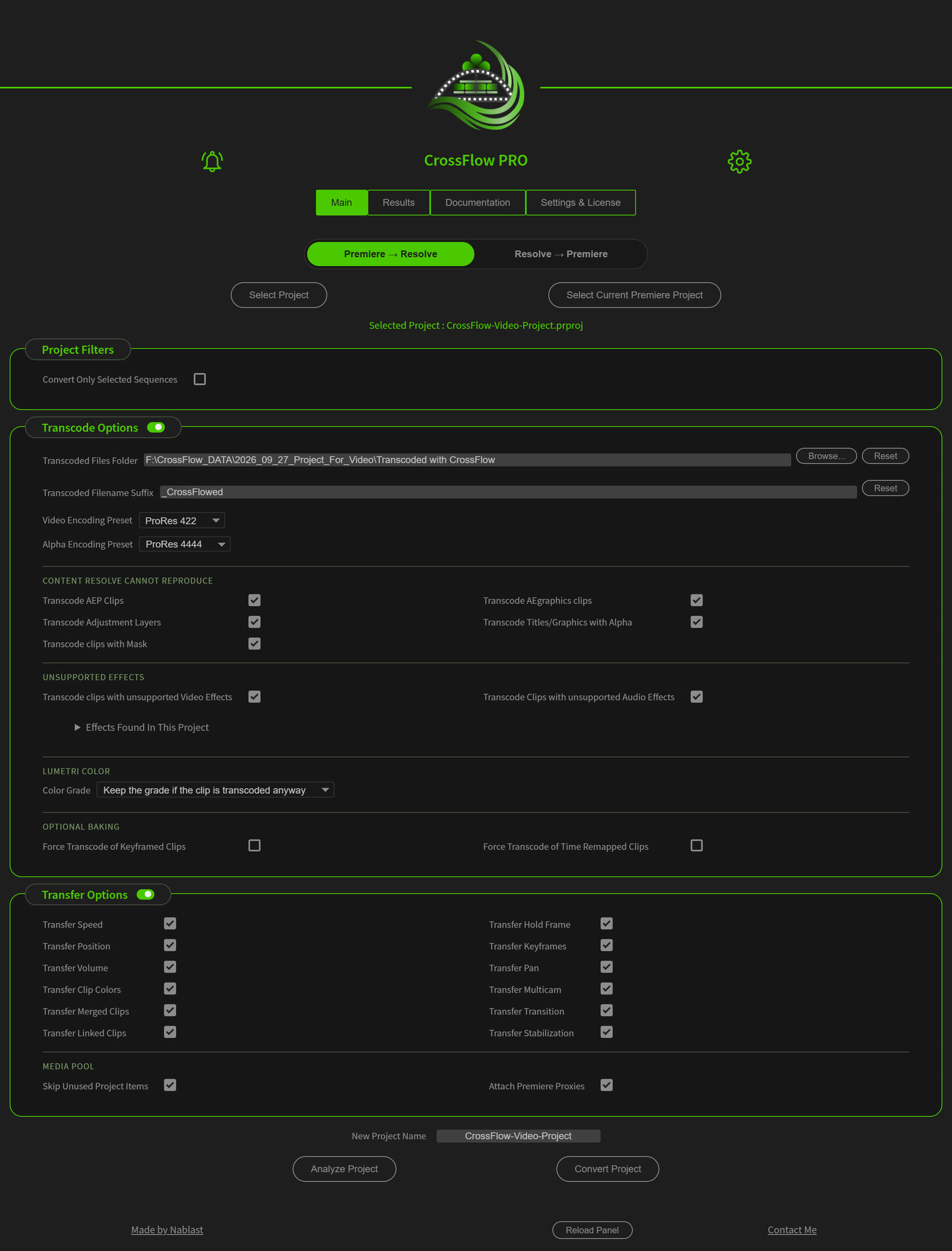
- Renders through Adobe Media Encoder only what Resolve cannot reproduce, with handles, instead of dropping it silently
- Brings graded clips back into a new Premiere Pro project with Return to Premiere
- Works across two computers with Machine Transfer
- Shows what will happen before converting (Analyze Project), and a per-clip report after every conversion
How it compares with FCP XML, AAF, EDL and OTIO, tested feature by feature: the guide.
Quote
“Every time a project went from Premiere to Resolve through an FCP XML, hours were lost rebuilding what had been dropped and hunting down clips shifted by timecode issues, without ever being sure nothing was missing,” said Nicolas Favre, the developer of CrossFlow. “I first built CrossFlow for myself: I wanted the perfect tool to bring my own Premiere projects into Resolve and keep improving my color grading. It brings the real project across, renders only what Resolve truly cannot reproduce, and tells you exactly what happened to every clip.”

Press kit
Logos (transparent PNG, 1500 px), screenshots (full resolution and web size), the promo video, a photo of the developer, the launch press release and the fact sheet:
Promo video (1 min): https://youtu.be/ZUCPcy4xRHI

About Nablast
Nablast is the independent software label of Nicolas Favre, an engineer based in Toulouse, France (ENSEEIHT), and co-designer of BRAW Studio and PlumePack, two established plugins for Adobe Premiere Pro. CrossFlow is Nablast’s first product. More about Nablast
Contact
Nicolas Favre, contact@nablast.com
Review licenses, interviews, a demo on your own project: just ask.
Adobe, Premiere Pro, After Effects and Media Encoder are trademarks of Adobe. DaVinci Resolve is a trademark of Blackmagic Design. CrossFlow is not affiliated with or endorsed by either company.